
Free
The free plan gives you a walk each weekday with one or two chair moves, a short cool-down stretch, the Steady set, your 12-week plan and your 2-week checks.
Walks, chair moves and stretches at home. No getting down on the floor.
Good Footing is a gentle home workout app for iPhone and iPad, led by a calm coach’s voice. It guides you through walking in place, chair moves, stretches and balance, one step at a time, so you never have to watch the screen or get down on the floor. Free to start; Good Footing Pro is optional.
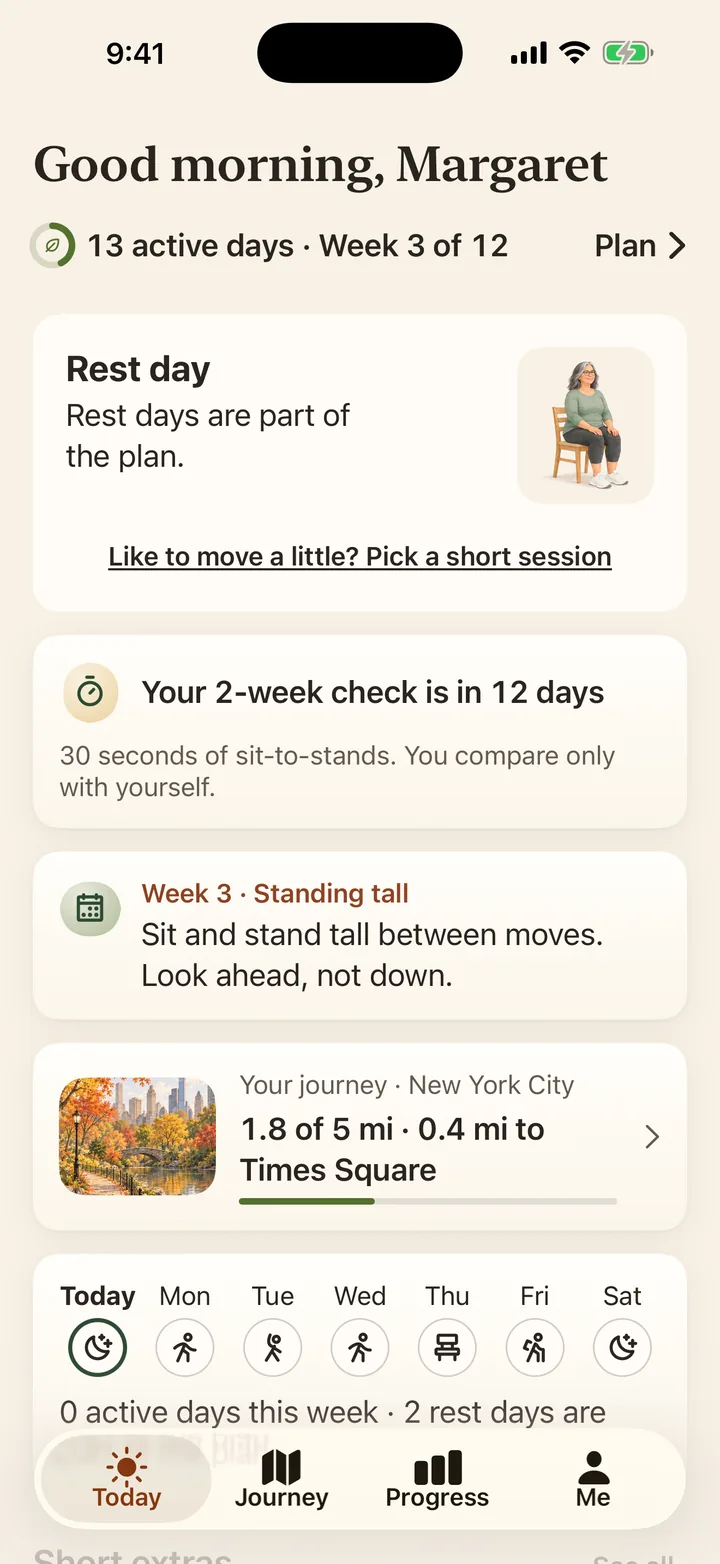
See how a session flows, from today’s plan to the voice and your progress.
How it works, in 5 steps
An animated preview of the app. The real screenshots are just below.
A calm voice leads every phase, so you can move without looking at the screen.
Switch to a seated or chair version at any time, and tell the app what feels sore.
A gentle 12-week plan that builds slowly. You compare only with yourself.
Listen and move. You don’t need to watch the screen.
It starts gently and changes as you do.
A 12-week plan in four gentle stages, with a short check you do yourself every two weeks.
You compare only with yourself. It is not a medical test.
Real screens from the app.
Get moving again, gently
Walks, chair moves and stretches at home. No getting down on the floor.
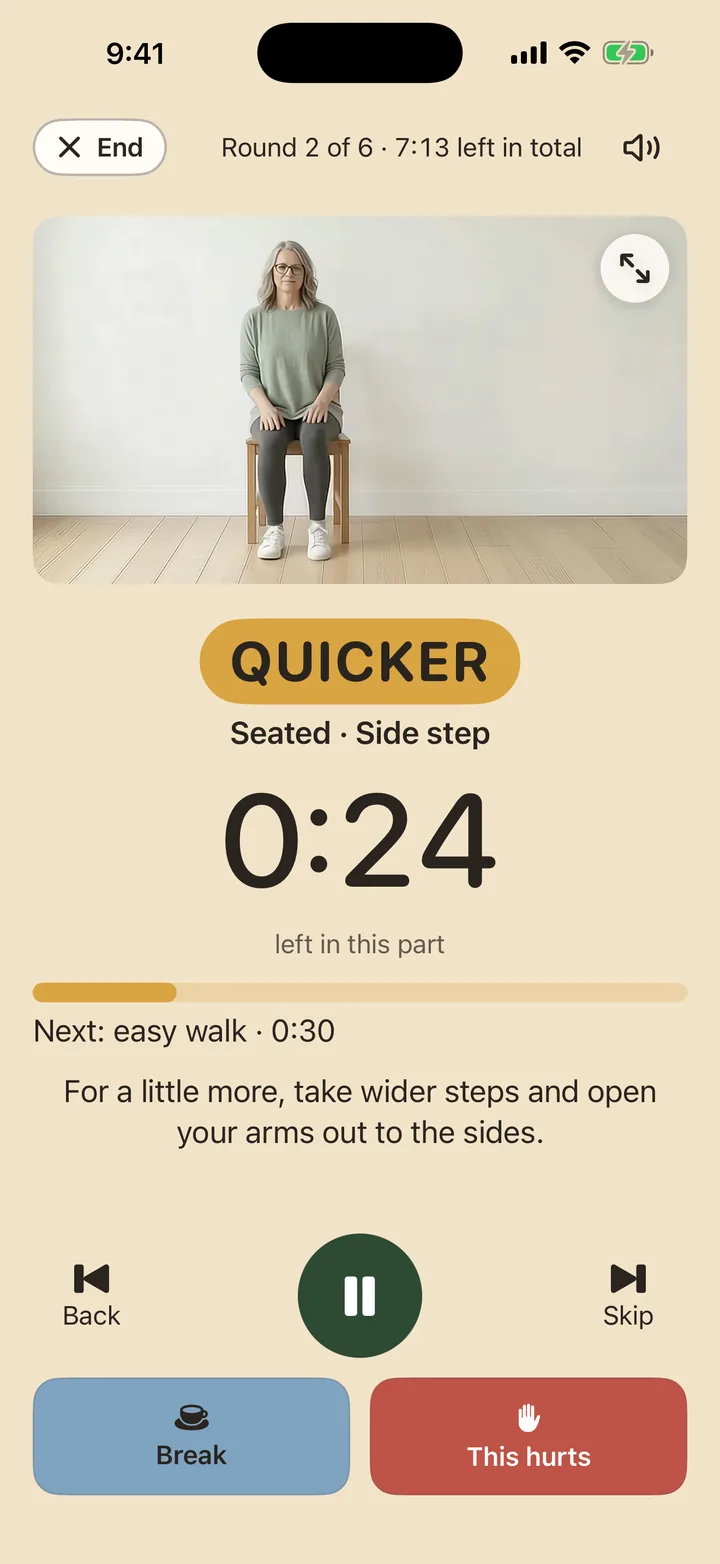
Just listen and move
Good Footing’s calm voice guides each step. No need to watch the screen.
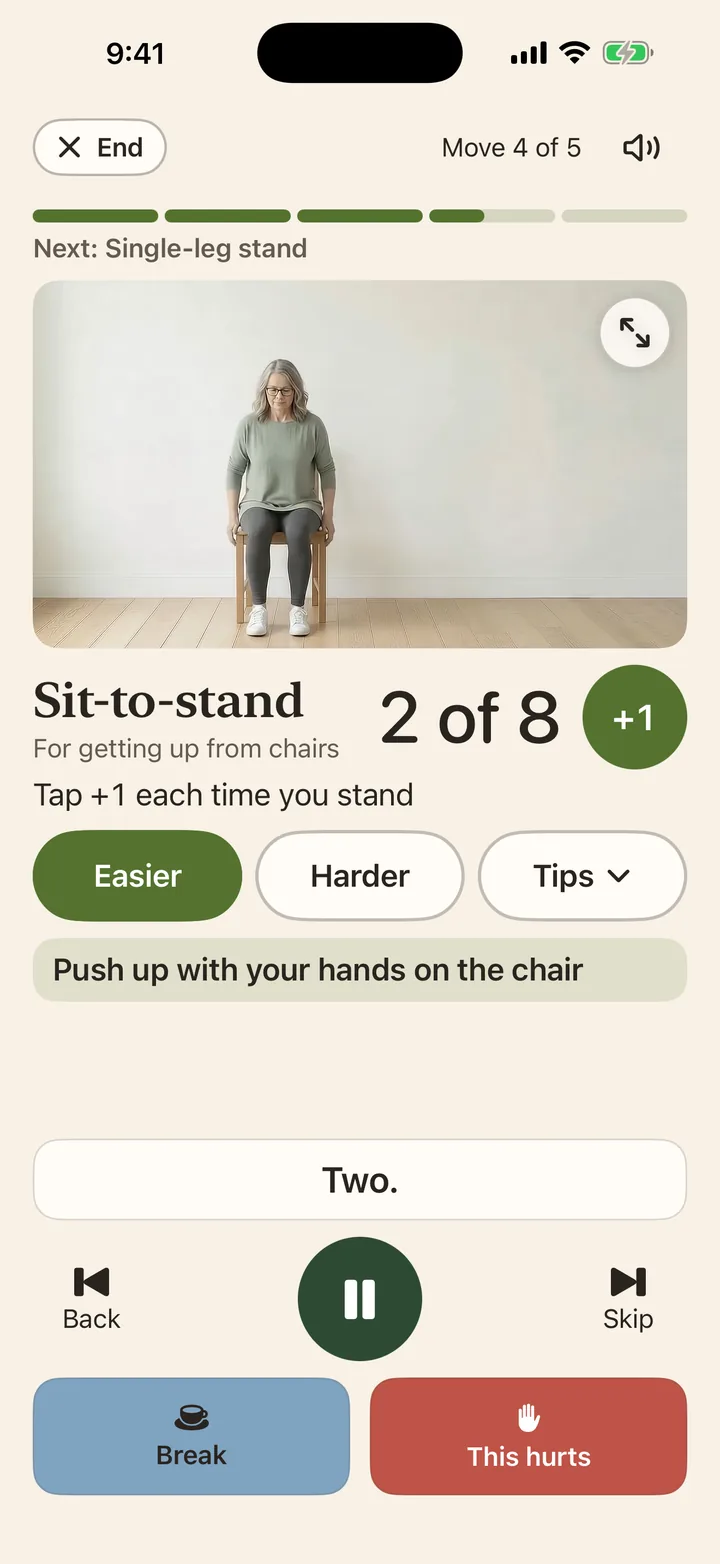
Up from a chair, more easily
Sit-to-stands and balance moves, with a chair right beside you.
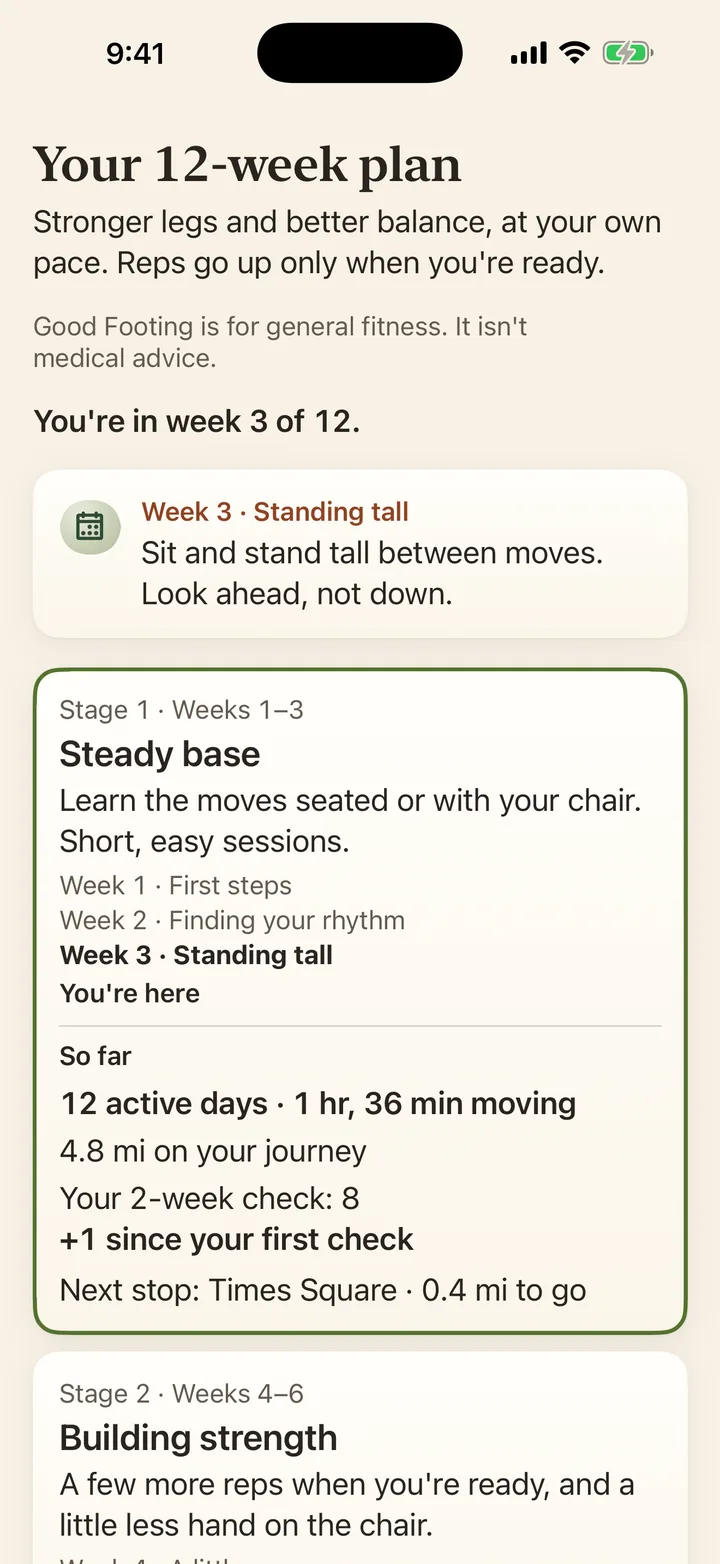
A plan that grows with you
Four gentle stages over twelve weeks, for steadier feet.
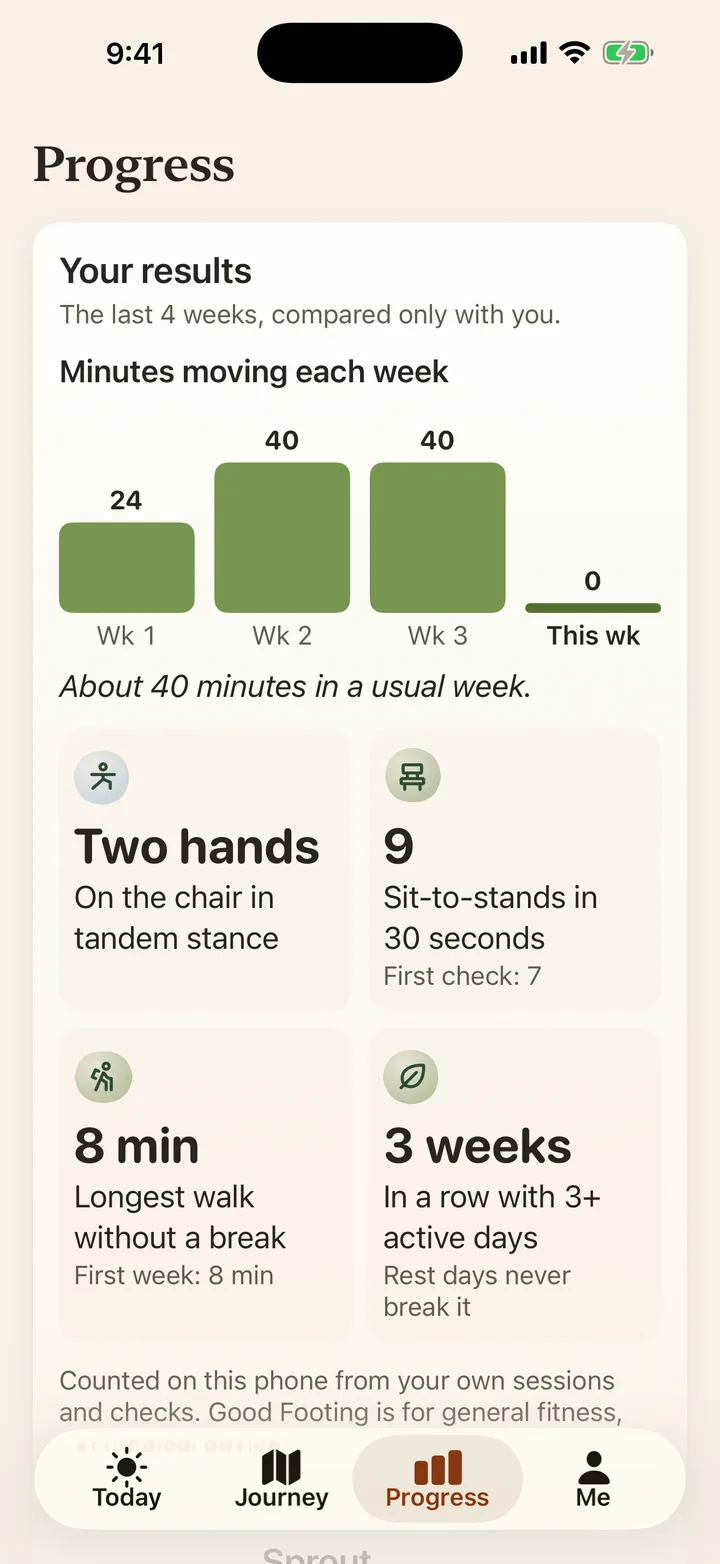
Compare only with yourself
Weekly minutes and your own chair check every two weeks. No age charts.
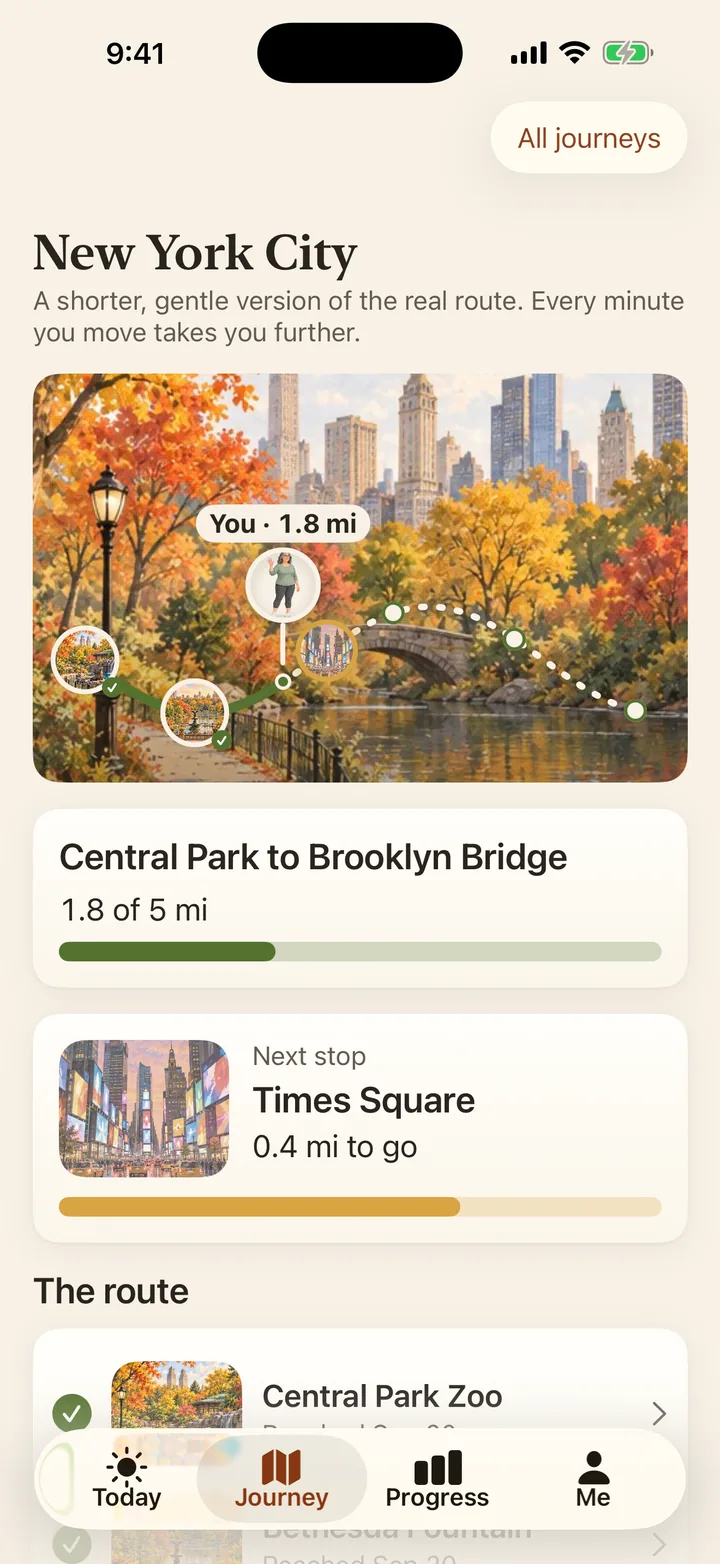
See the world from home
Every minute you move takes you further along a painted New York route.
Start free. Pro is optional.
The free plan gives you a walk each weekday with one or two chair moves, a short cool-down stretch, the Steady set, your 12-week plan and your 2-week checks.
Good Footing Pro adds the full weekly program, every chair move, full stretch sessions and extras, more reps when you’re ready, less hand on the chair as you get steadier, your own choice of rest days, and your full session history.
The price for your country and the length of the free trial are shown in the app before you buy.
No. There is nothing to sign up for or sign in to. Your answers and progress stay on your phone.
Yes. Once it is set up, your sessions play without an internet connection.
Good Footing Pro is billed by Apple, so you cancel in your iPhone’s Settings: tap your name, then Subscriptions, choose Good Footing, then Cancel Subscription. Deleting the app does not cancel it.
No, it is optional and the app works without it. If you connect it, the app reads your step count and saves your workouts, and the route of outdoor walks, to Apple Health.
Your answers, sessions and journey progress stay on your phone. Nothing health-related is sent to us.
It is made for women who are new to exercise or coming back to it, and who want to move gently at home. You never have to get down on the floor.
No. Good Footing is for general fitness and isn’t medical advice. Talk to your doctor before you start, especially if you have a health condition.
Yes. Every move has a seated version, and you can walk seated, in place or on a walking pad. You never have to get down on the floor.
Walking in place, chair moves, stretches and a short Steady set of balance moves with a chair beside you. There are 46 moves filmed with your coach, each with an easier way to do it.
About 10 to 20 minutes a day, at your own pace. Your first walk takes 5 minutes, and you can try any single move on its own in about 2 minutes.
Short, practical reads on chair exercises, walking in place and getting started again.
Counting sit-to-stands for 30 seconds is a simple way to notice change over time. It is a personal check, not a medical test, and you compare only with yourself.
Two or three minutes beside a chair is enough to move your legs, your ankles and your shoulders. Here are a few gentle chair moves for a spare moment.
Coming back to movement after months or years off is easier when the first step is small, seated, and short. Here is a gentle way to begin at home.